Submitting Tree Pruning Request

Guide for District Staff to submit tree pruning requests through SEKAR.
What is Tree Pruning Request?
Tree Pruning Request (Pruning Request) is a system for district staff (public/external) to request tree pruning that is:
- Hazardous (branches sweeping sidewalk/road)
- Problematic (broken branch, disease)
- Needs maintenance (overgrown foliage)
Requests will be reviewed and scheduled by Environmental Department for completion.
Accessing Tree Pruning Request
Opening Request Web
- Open browser
- Visit: sekar.wahyutrip.com (or provided link)
- Look for "Tree Pruning Request" or "Pruning Request" menu
Login (If Required)
If login required, use:
- Username/Email: Provided by admin
- Password: Provided by admin
- Or contact admin for access
Creating New Request
Request Form
┌──────────────────────────────────────┐
│   TREE PRUNING REQUEST FORM         │
├──────────────────────────────────────┤
│                                      │
│ REQUESTOR NAME *                    │
│ [Your full name                 ]    │
│                                      │
│ CONTACT REQUESTOR *                 │
│ Email: [email@example.com       ]    │
│ Phone: [08123456789            ]    │
│                                      │
│ TREE LOCATION *                     │
│ District/Village: [Select ▼]        │
│ Address Detail: [Jl. Semeru No. 5]   │
│ GPS Coordinates: [Map pinned]        │
│                                      │
│ PROBLEM DESCRIPTION *               │
│ [Branch sweeping sidewalk...]        │
│                                      │
│ EVIDENCE PHOTOS                     │
│ [+ TAKE/UPLOAD PHOTO]               │
│ [Photo 1] [Photo 2]                 │
│                                      │
│ PRIORITY *                          │
│ ○ Urgent (Hazardous)               │
│ ○ Normal (Maintenance)             │
│                                      │
│ [SEND REQUEST]  [CANCEL]            │
└──────────────────────────────────────┘
Steps to Submit Request
1. Fill in Requestor Identity
Full Name:
- Requestor name or organization submitting
- Example: "District Wonokromo" or "Bapak Ahmad Wijaya"
Contact:
- Email — for correspondence
- Phone — for quick follow-up
2. Determine Tree Location
District/Village:
- Select from dropdown or type name
Address Detail:
- Write complete address
- Example: "Jl. Semeru No. 5, in front of SDN Semeru, Wonokromo"
GPS Coordinates:
- Tap "Choose Location on Map"
- Map will open
- Pan and zoom to tree location
- Tap location on map to pin (marker)
- Confirm location
Or, if you know coordinates:
- Latitude: -7.295479
- Longitude: 112.762227
3. Describe Problem
Type detailed description of tree problem:
Good Description Example:
"Mango tree in front of District office has large
branch sweeping sidewalk. This branch disturbs
pedestrians and may be dangerous during strong wind.
Request to prune so branch doesn't sweep sidewalk
anymore."
Include:
- Tree type (if you know)
- Problem (hazardous, disease, overgrown)
- Current condition
- What needs to be done
4. Upload Evidence Photos
Take or upload tree photos:
- Tap "+ TAKE/UPLOAD PHOTO"
- Choose camera or gallery
- Take/select tree photo
- Upload minimum 1 photo (ideal 2-3 photos)
Good Photos:
- Show entire tree
- Show problematic part (branch sweeping, broken, etc)
- Good lighting, clearly visible
5. Set Priority
Urgent (Hazardous):
- Broken branch can fall
- Branch directly blocking road/sidewalk
- Safety risk
Normal (Maintenance):
- Routine maintenance
- Overgrown foliage
- Seasonal preparation
If safety risk exists (broken branch, tilted tree), choose URGENT for quick handling.
6. Send Request
- Verify all information is correct
- Tap "SEND REQUEST" or "Submit"
- System will send request
- You'll see confirmation:
✓ Request Sent!Request Number: REQ-2026-06-001Status: Received (Awaiting Verification)We will contact you to confirm locationand pruning schedule within 1-2 business days.Reference Number: REQ-2026-06-001
Tracking Request Status
Viewing My Request Status
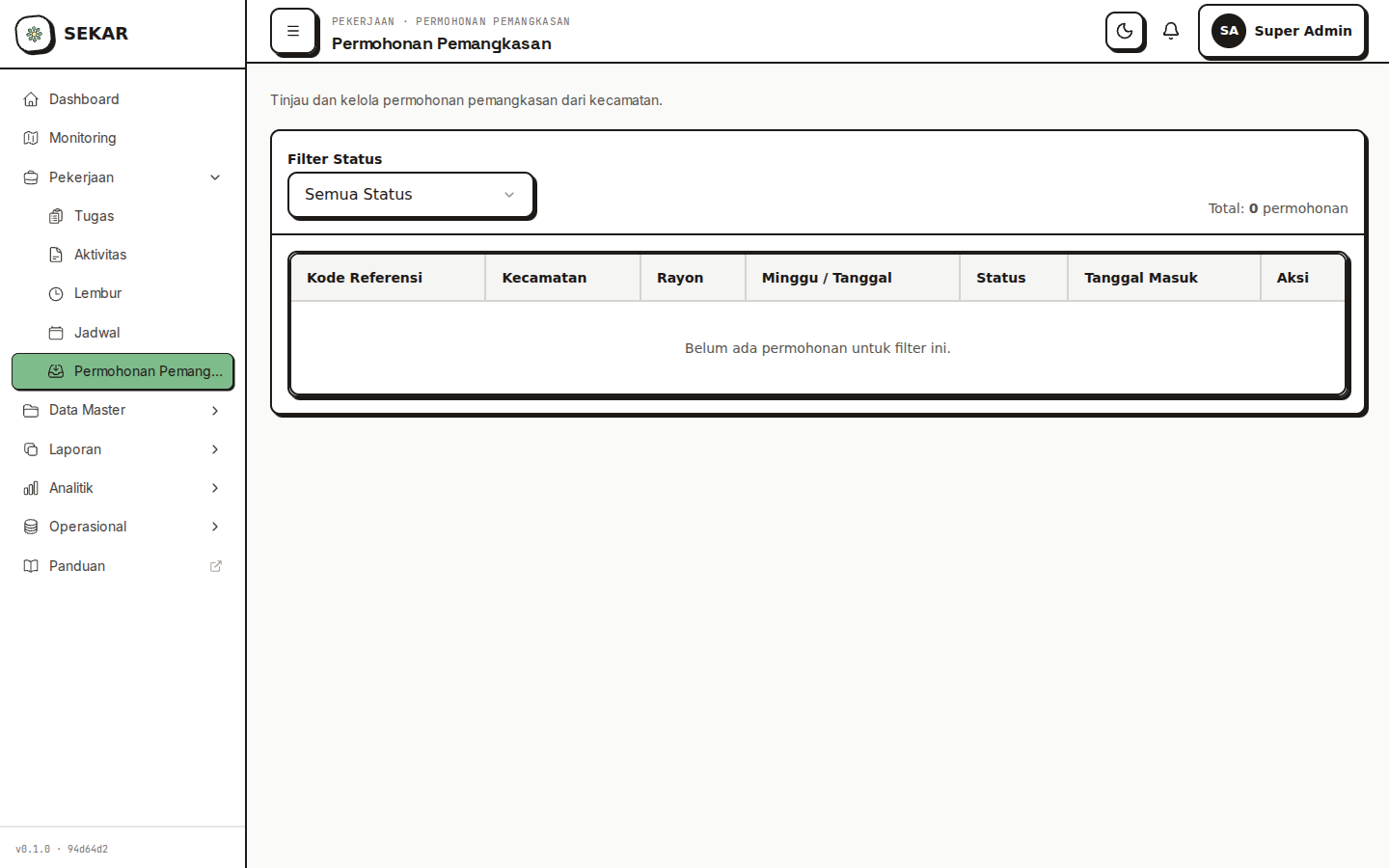
The pruning request admin review and tracking interface.
- Open "My Requests" or "My Requests" page
- View list of all your requests
Request Status
MY REQUESTS (5 total)

1. Mango Tree Pruning on Jl. Semeru
   Location: District Wonokromo
   Submission Date: 24 June 2026
   Status: ⏳ Awaiting Verification
   Reference: REQ-2026-06-001

2. Hand Broom Tree Cleaning on Jl. Raya
   Location: District Bulak
   Submission Date: 20 June 2026
   Status: ✓ Approved (Scheduled)
   Schedule: 26 June 2026
   Reference: REQ-2026-06-002

3. Red Shoot Tree Pruning in Garden
   Location: District Dukuh Kupang
   Submission Date: 15 June 2026
   Status: ✓ Complete (Done)
   Completion Date: 22 June 2026
   Reference: REQ-2026-06-003
Status Explanation
| Status | Meaning | Action |
|---|---|---|
| ⏳ Awaiting Verification | New request, being checked | Wait for confirmation |
| ⏳ Scheduled | Approved, awaiting schedule | View schedule below |
| 🔨 In Progress | Team working on pruning | Track progress |
| ✓ Complete | Pruning finished | View results (photos) |
| ❌ Rejected | Request rejected with reason | Contact admin |
Communication & Follow-up
You Will Be Contacted
After submitting request:
- Email/SMS — Submission confirmation (within 24 hours)
- Phone — Verify location and schedule (within 1-2 business days)
- Notification — Status updates via email/SMS
Information That May Be Asked
- Location clarification (may request GPS or more detail)
- Tree type (if not recorded)
- Flexible schedule (reschedule request)
- On-site contact when team arrives
Pruning Results
Viewing Pruning Results
After team finishes work:
-
Status changes to "Complete"
-
Documentation photos available:
- Photo before pruning
- Photo after pruning
- Photo of collected branches
-
You can view in app:
Status: ✓ CompleteCompletion Date: 26 June 2026Team: Korlap Ahmad + 3 SatgasRESULT PHOTOS[Before] [After] [Debris]
Pruning Request FAQ
Q: How long does request take? A: From submission to completion usually 2-4 weeks, depending on complexity and priority queue.
Q: Is it free? A: Yes, this is a public service from Environmental Department.
Q: Can I request urgent? A: Yes, if safety risk (broken branch, fallen tree), choose urgent for priority handling.
Q: If tree is on private property? A: Request accepted, but team will coordinate with property owner for access.
Q: Can I request specific schedule? A: Try communicating preference when team contacts for location verification.
Troubleshooting Request
"Request Not Submitted"
Solution:
- Make sure all required fields filled (marked *)
- Wait 5-10 seconds after tap submit
- Check internet connection
- Refresh page and try again
"No Response After 3 Days"
Solution:
- Check status in app (may already be scheduled)
- Check email/SMS for notifications
- Contact Environmental Department hotline: [contact admin for number]
- Refer to your request number
"Want to Cancel Request"
How:
- If status "Awaiting Verification", can cancel from app
- If already "Scheduled", contact team to reschedule/cancel
- Include request reference number
Tips for Effective Request
1. Detailed Description
- Explain problem specifically
- Include recognizable landmark location
- Attach clear photos
2. Quality Photos
- Take photos in daytime with good light
- Show entire tree and problem
- If possible, photos from different angles
3. Accurate Information
- Location must be accurate (use map if possible)
- Active phone number for follow-up
- Valid email for notifications
4. Wait for Confirmation
- Don't assume immediate work
- Wait for team to contact for verification
- Confirm schedule if asked
5. Documentation
- Save request reference number
- Note submission and follow-up dates
- Keep communication records
Need request help? Contact Environmental Department hotline or see FAQ & Help.