Welcome to SEKAR 🌿
SEKAR (Sistem Evaluasi Kinerja Satgas RTH) is a worker performance management application for the Surabaya Department of Environment (DLH). The system is designed specifically to monitor and manage field work with real-time GPS technology, photo verification, and digital work reports.
What is SEKAR?
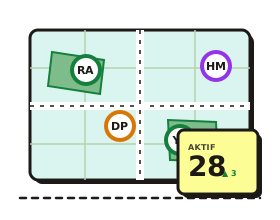
SEKAR helps field teams and supervisors to:
- Digital Attendance Recording: Clock in/out with photo verification and GPS
- Real-time Tracking: Monitor worker position directly on a map
- Work Reports: Document activities with photos and videos
- Task Management: Create and track tasks from supervisors to workers
- Analytics & Reporting: Dashboard for rayon heads and management
- Plant Management & Pruning: Plant catalog, maintenance, and pruning requests
Who Uses SEKAR?
The SEKAR system is designed for various roles:
For Field Workers
- Satgas (Satuan Tugas) — Field workers who perform daily activities
- Linmas (Lembaga Masyarakat) — Security/environmental workers
- Korlap (Koordinator Lapangan) — Coordinator who leads and supervises teams
For Management & Supervisors
- Kepala Rayon — Monitor rayon performance and create reports
- Admin Data — Manage user and area data
- Admin Sistem — Technical application management
- Top Management — View analytics and overall reports
- Superadmin — Full access to all features
For External Stakeholders
- Staff Kecamatan — Submit tree pruning requests
Manual Navigation Guide
This manual is organized by role:
note
Click the section below that matches your role for complete guidance.
- Getting Started — How to login, install the app, and basic navigation
- For Field Workers (Satgas & Linmas) — Complete guide for field workers
- For Korlap — Team monitoring and task management
- For Rayon Head — Reports and rayon analytics
- For Admin — User and data master management
- Operations — Data export and import
- For District Staff — Tree pruning requests
- FAQ & Help — Common questions and troubleshooting
Requirements & Setup
tip
New user? Start with the Getting Started section for initial setup.
- Mobile App: Download from sekar.wahyutrip.com/android for Android
- Web Dashboard: Open sekar.wahyutrip.com in a browser
- Default Password: All user accounts use password
password123
Help Contact
If you have questions or experience issues:
- Check the FAQ & Help page for common solutions
- Contact your supervisor or rayon head
- Contact the DLH Surabaya support team
Last Updated: June 2026 | SEKAR Version: 1.0.0